Everything You Need to Know About Remote Patient Monitoring
Pilot programs for Remote Patient Monitoring (RPM) began in the 1970s, but RPM didn’t truly take off until the second quarter of 2020. At the onset of the COVID-19 pandemic, many primary care clinics started a large-scale remote monitoring program and found that it improved patient outcomes even in the middle of a crisis. Seeing the positive effects of RPM, CMS decided to expand its reimbursement coverage.
Whether you are hearing about remote patient monitoring for the first time, or looking for ways to incorporate it into your practice, RPM can help you deliver more effective care and reap significant financial benefits.
What is Remote Patient Monitoring?
Remote Patient Monitoring (RPM) is a method of healthcare delivery that uses technology to gather patient data outside of a traditional healthcare setting and sends that data to a healthcare provider remotely. The collected data allows the provider to monitor changes in a patient’s vital signs and respond accordingly. It is a proactive way of tracking and managing a patient’s health without the need for an in-person visit.
Providers can manage and understand a patient’s health better by capturing a constant stream of data in their everyday lives and as it happens in real-time.
What are Examples of RPM and How Does it Work?
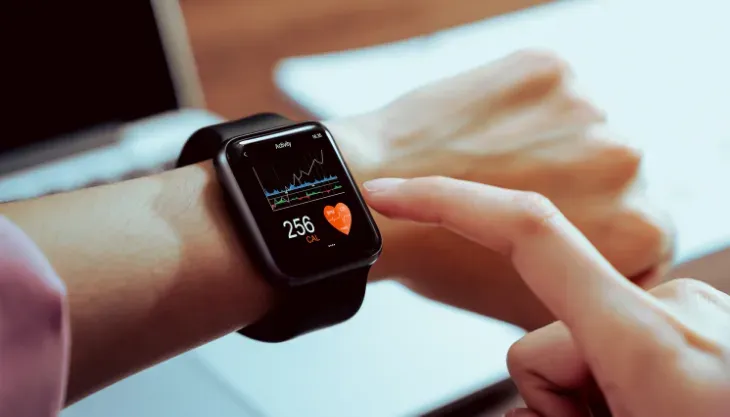
Today’s RPM devices are becoming smarter and more affordable. They’re sleek, user-friendly personal tech products that resemble the familiar gadgets we regularly use today. There are many RPM devices in the market, but four of the most common ones are:
- Blood pressure monitor
- Weight monitor
- Blood glucose monitor
- Spirometer
The health data coming from RPM devices is transmitted to a provider in two ways: via Bluetooth technology or over a cellular network. Bluetooth RPM devices use short-range wireless connections to send data to an internet-connected device. Patient privacy can be a concern for RPM type since any device can be “discovered” over the short-range wireless connection. Pairing issues between devices may also frustrate some patients. In addition, patients need to first connect to the internet before sending over their data, causing transfer delays.
On the other hand, cellular RPM devices transmit patient data via the same network that we use for our smartphones. Because of this, companies that offer cellular RPM typically partner with major cell phone providers to access their network. Cellular RPM devices can transmit patient data in real-time and allow for two-way communication, meaning providers can reach out to the patient via the device. Cellular RPM devices are also easier to use but tend to be more costly since they require a cellular data connection. This type of device can also be a challenge for patients living in rural areas with patchy cell service.
When choosing an RPM type for your practice, it’s important to note your patient’s population. If your patients are older, cellular RPM devices are the better option. If you choose to use two or more devices in your RPM program, patients might get overwhelmed with the amount of equipment and apps to manage and sync. Companies like LiveCare, for example, eliminate the need to manage multiple apps and pair multiple devices manually. LiveCare’s RPM Gateway device, Link+, links all the devices together and sends patient data over a 4G network.
Benefits of Remote Patient Monitoring
The rapid adoption of RPM comes as no surprise considering its significant benefits to patients, providers, and payers alike. If you still need convincing to adopt an RPM program, here are some of its many advantages for your practice.
1. Boosts Revenue Stream
Medicare and 26 state Medicaid programs cover RPM reimbursement. Commercial payers also cover RPM under their telehealth coverage policies. It is important to note that some states have RPM restrictions, like which type of monitoring device is allowed or what information should be collected. Commercial payers may also have different policies than that of CMS. If billed correctly, RPM can increase your practice’s revenue stream while increasing your quality of care.
2. Allows for a More Efficient Office Workflow
When patients are out of your clinic, your waiting room is less crowded and appointments run smoother. RPM solves overscheduling problems by allowing providers to move some of that care virtually. Practices often overbook or double book appointments to lessen the impact of no-shows. But when all the patients show up, it can bring chaos into your already busy day. With RPM, providers can just set a time in their schedule to monitor patients remotely without needing an in-person appointment.
RPM allows providers to triage and prioritize every patient and case based on real-time status. Additionally, RPM tools integrated with an EHR minimizes errors and duplicate documentation.
3. Lowers Healthcare Costs and Patient Expenses
RPM results in lower healthcare spending. Since providers can see what’s going on with a patient every day, they can respond to changes immediately and modify treatments accordingly. This lessens costs for further evaluation, testing, or procedures.
Fewer trips to the provider’s office mean lower costs for the patient as well. Patients can avoid the costs and inconvenience of taking time off at work, parking, travel, and childcare. RPM also solves several socio-economic barriers that patients have to overcome to get the treatment they deserve.
4. Reduces Hospital Readmissions and ER Visits
One of the goals of RPM is to prevent hospital admissions and ER visits, and providers can do that if they have an insight into what patients are doing at home. For post-operative care, for example, patients are given medical peripherals to track changes in their vital signs, allowing providers to keep tabs on them even from afar.
5. Better Quality of Care and Improved Outcomes
With RPM, providers improve their clinical insights on a patient’s condition because they see how a patient’s symptoms change over time, allowing them to identify trends and intervene accordingly.
6. Builds Patient Engagement
RPM is an excellent patient engagement strategy that allows patients to understand and be proactive about their health. It also increases patient-provider communication. When patients are in close contact with their provider, they are more likely to take their medications regularly, eat better, and adhere to their treatment plans.
7. Improves Chronic Care Management
Patients who suffer from chronic diseases can significantly benefit from RPM. Diabetic patients, for example, do not experience any symptoms until they experience hyperglycemia or hypoglycemia. By performing daily glucose tests at home, providers can detect alarming changes in glucose levels and take immediate action.
Considerations When Choosing an RPM system
Before starting an RPM program, it is vital to decide what devices best align with your practice’s goal. Getting more devices than what’s necessary only costs your practice more money. Cardiologists, for example, may want to focus on monitoring blood pressure and weight, while endocrinologists may want to focus on glucose tests.
Another important consideration is the ease of use for both your staff and your patients. If an RPM system proves challenging, your staff and patients may avoid using the devices altogether. Your chosen RPM system must also interface well with your EHR and billing solution if you want an efficient RCM cycle.
LiveCare, Meditab’s partner in remote patient monitoring, is integrated with over 100 different brands of home medical devices, sensors, and wearables to fit your specialty’s needs. With a built-in multi-network 4G solution, your patients won’t have a problem staying connected to you. It allows for two-way communication and enables patients to send a 24/7 emergency message. Patient data gets sent to HIPAA compliant servers and shared to IMS, Meditab’s core EHR, allowing for an efficient and seamless continuity of care.
Share this post: